
Built in-house · In use every day
Bobbie
The field and office app our own electrical crew runs on. One app on every phone, from the morning schedule to the QuickBooks invoice.
Bobbie is an in-house tool and isn't for sale. Every screen on this page uses sample data.
Deep dive · about a minute and a half · sound on
How our crew runs the day
What it does
Field, office and tools in one app
Schedule
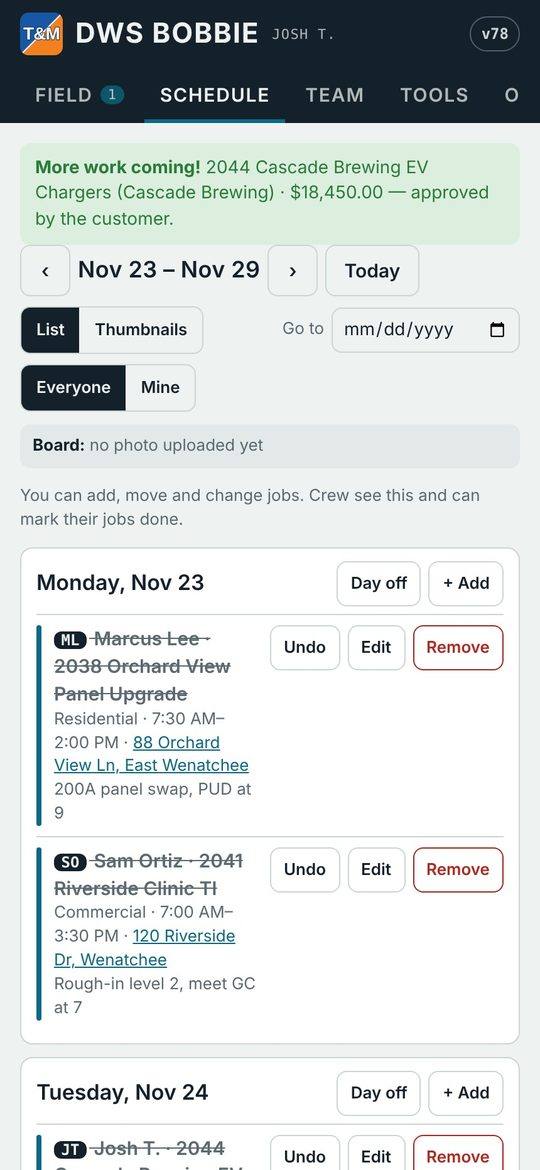
The whole week on every phone
- Week view by day with who, which job, start and end time, address (tap for directions) and notes.
- Crew see their own jobs and tap Done. Leads add, move and change work and mark days off.
- Snap a photo of the shop whiteboard and Bobbie can turn it into schedule entries.
T&M tickets
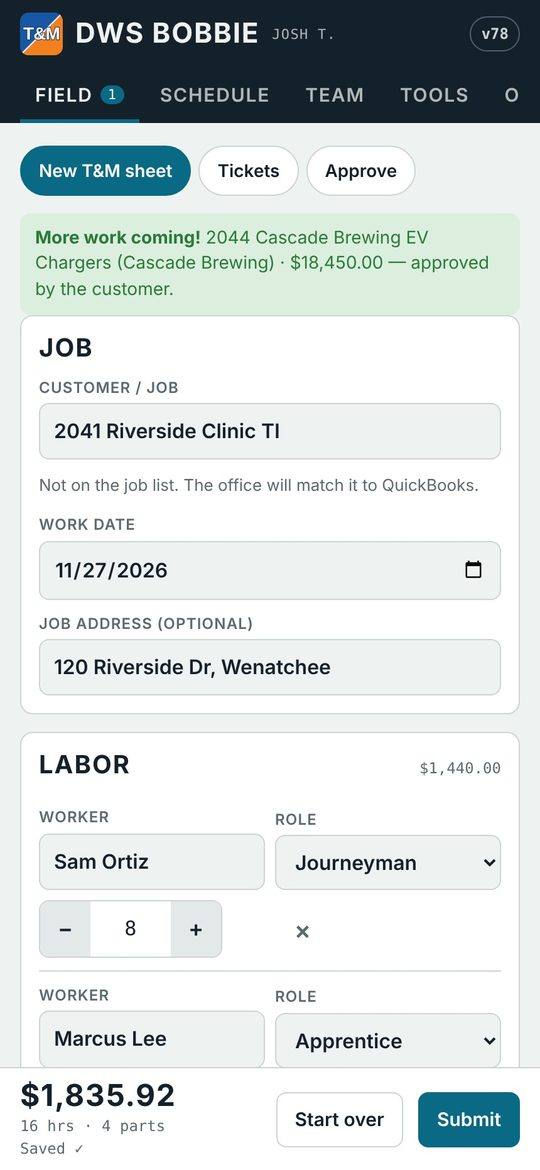
Fill it out before you leave the site
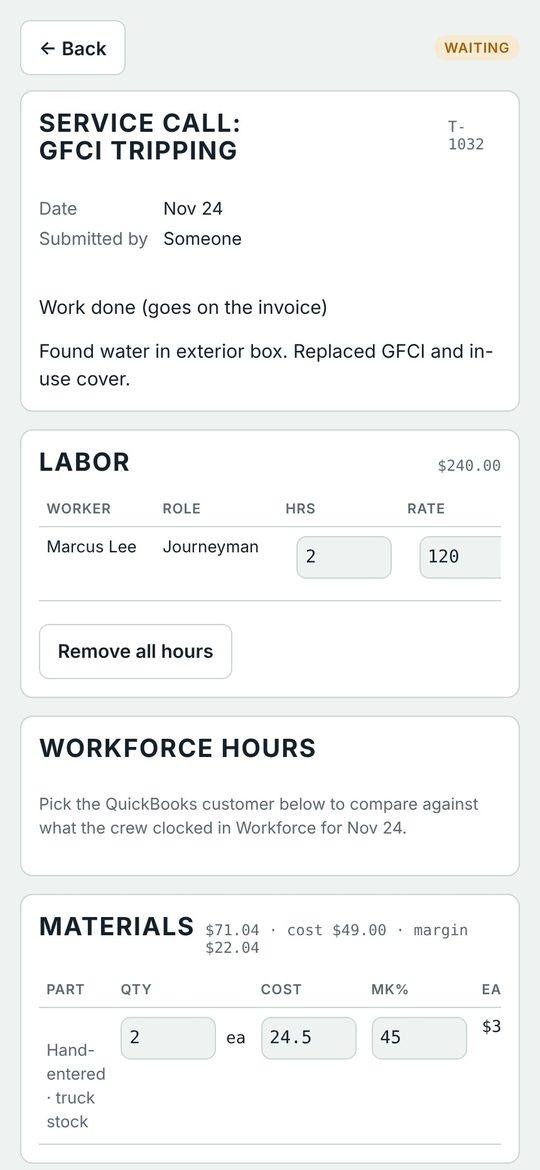
- Pick the job from the list. Add each worker, their role and hours.
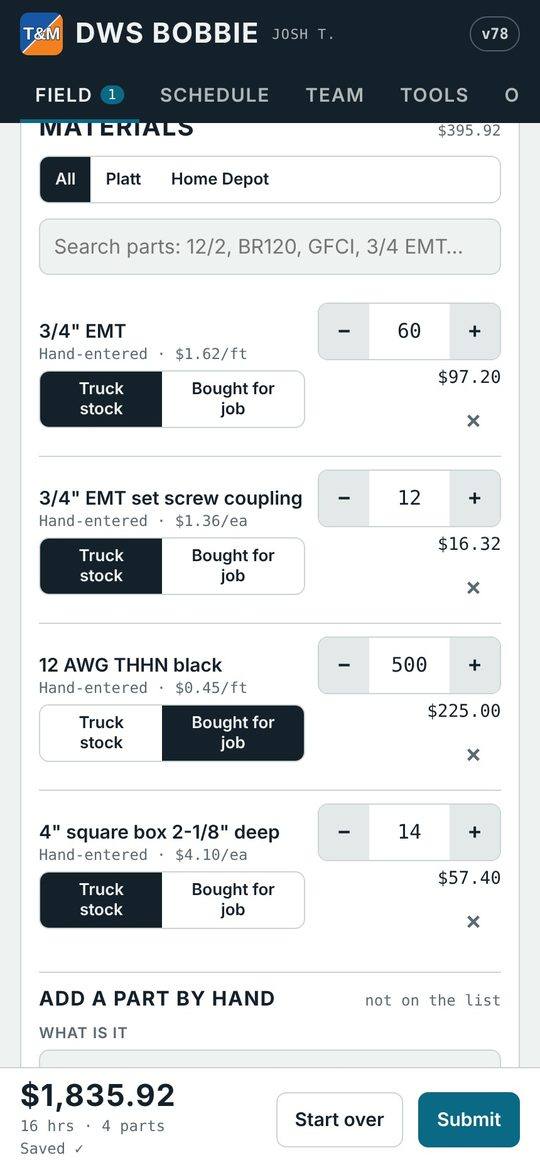
- Search parts from the price list ("12 thhn", "gfci"), set the quantity, and mark it truck stock or bought for the job. Wire is in feet.
- Don't know what a part is called? Snap a photo of the part, box or label and pick the match. Bobbie learns the crew's own names for parts.
- Parts not on the list go in by hand; the office prices them.
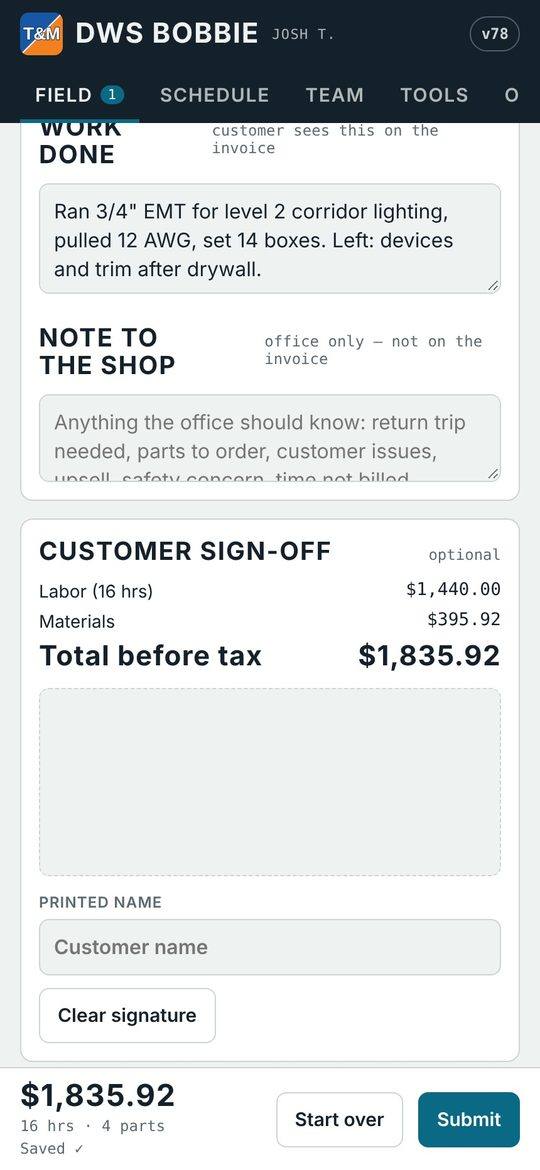
- Work done (use the keyboard mic), photos of the finished work and customer signature.
- Saves on the phone as you go. No signal? Submit again when you have it.
Office
Approve, invoice, track every job
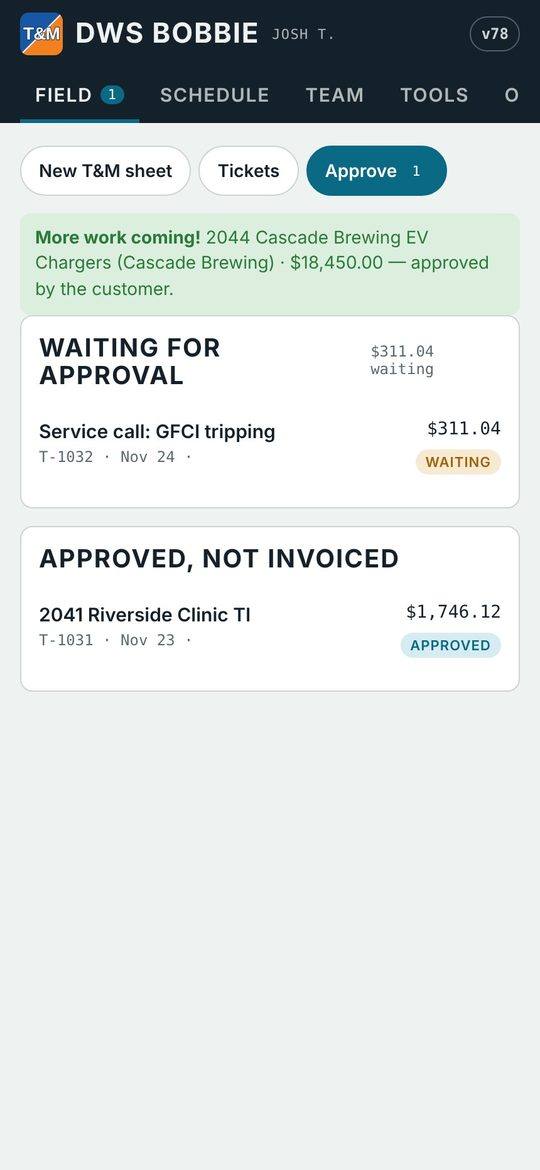
- Waiting tickets land in Approve. The office re-checks every price against the real price list and labor rates, or sends the ticket back with a note.
- Approved tickets invoice into QuickBooks, and the office can compare hours to what the crew clocked.
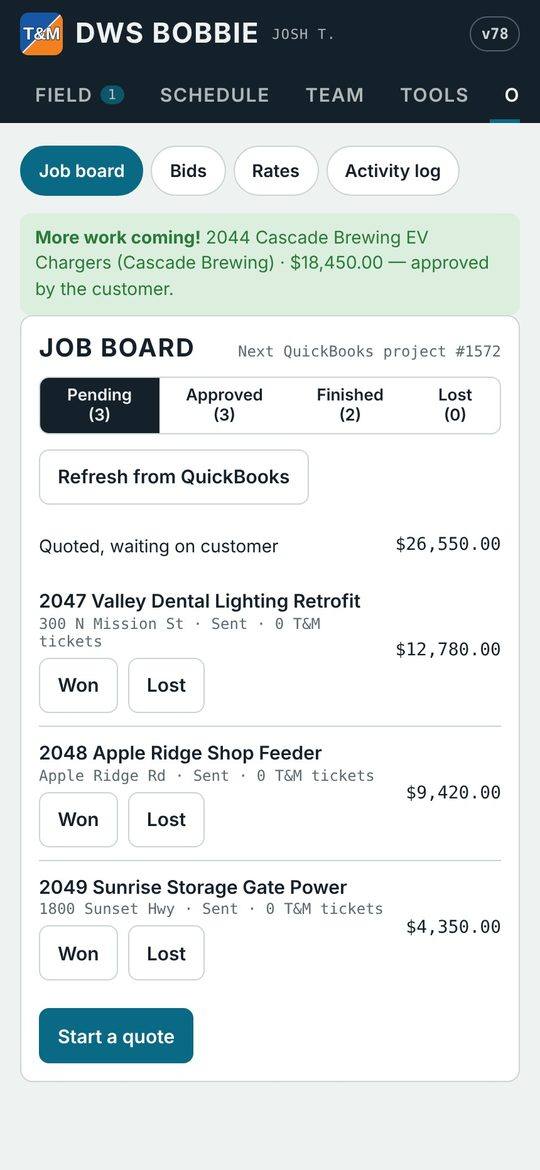
- Job board: quotes pending, approved work, finished and lost, with T&M totals not yet invoiced on each job.
- Crew get a "more work coming" banner when a customer approves a quote.
- Activity log of every change, with undo.
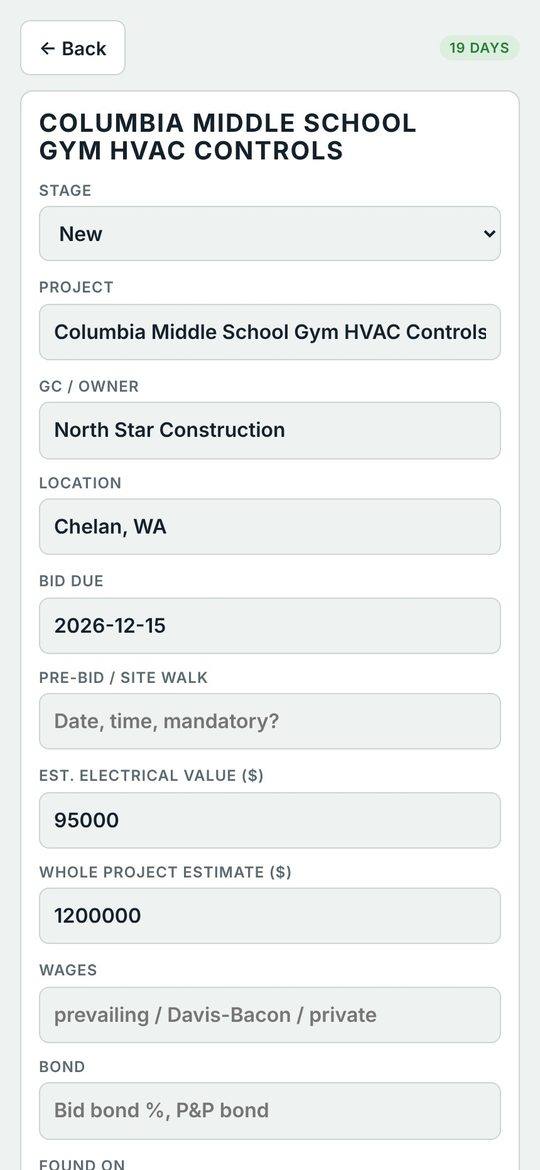
Bids
New bids found every morning
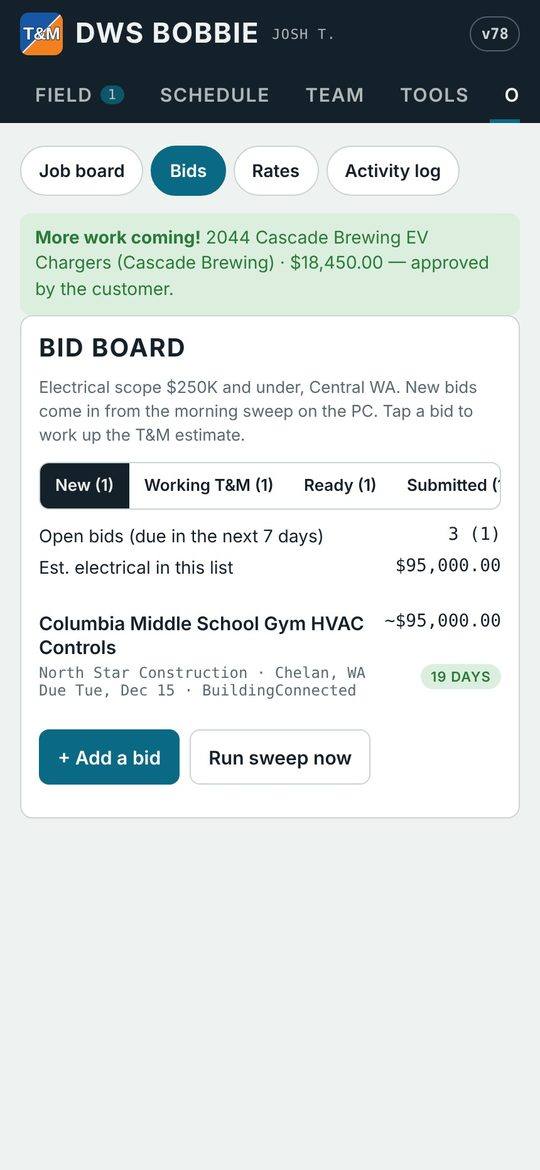
- A morning sweep finds bid requests that fit the company and adds them to the board.
- Each bid tracks GC/owner, location, due date, pre-bid walk, wages and bonds.
- Build a T&M estimate per bid and move it through New, Working, Ready, Submitted, Won or Lost.
Tools
Bending and code help in your pocket
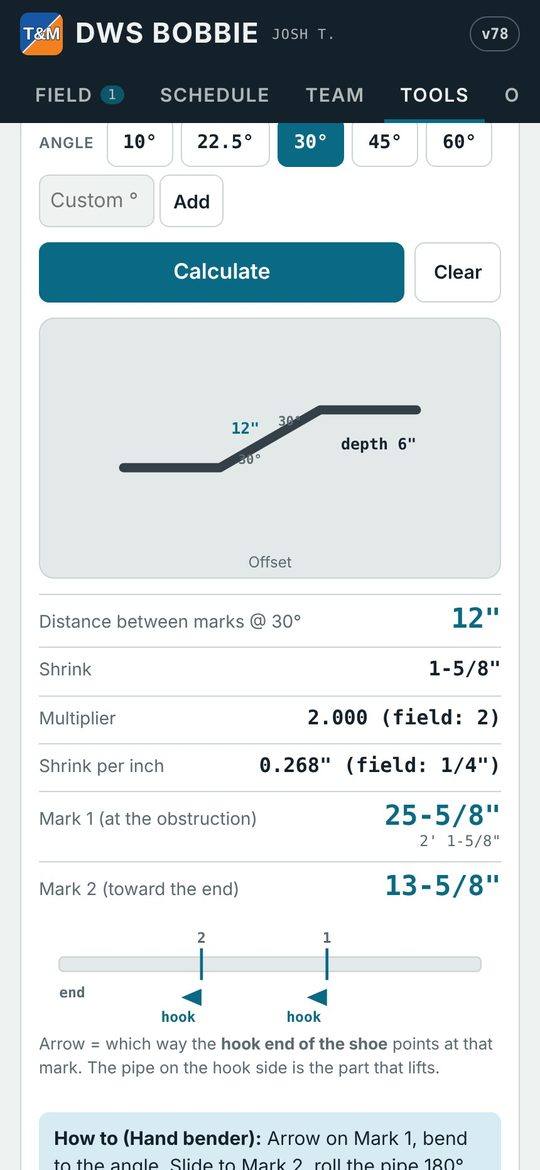
- Conduit bending for hand benders, Chicago-style benders and the Greenlee 555: stubs, offsets, kicks, saddles, back-to-backs, rolled offsets, segment 90s and more. Marks, shrink, multiplier and which way the hook points.
- Match your own bender's deduct and save bends by name. Phone level for checking angles.
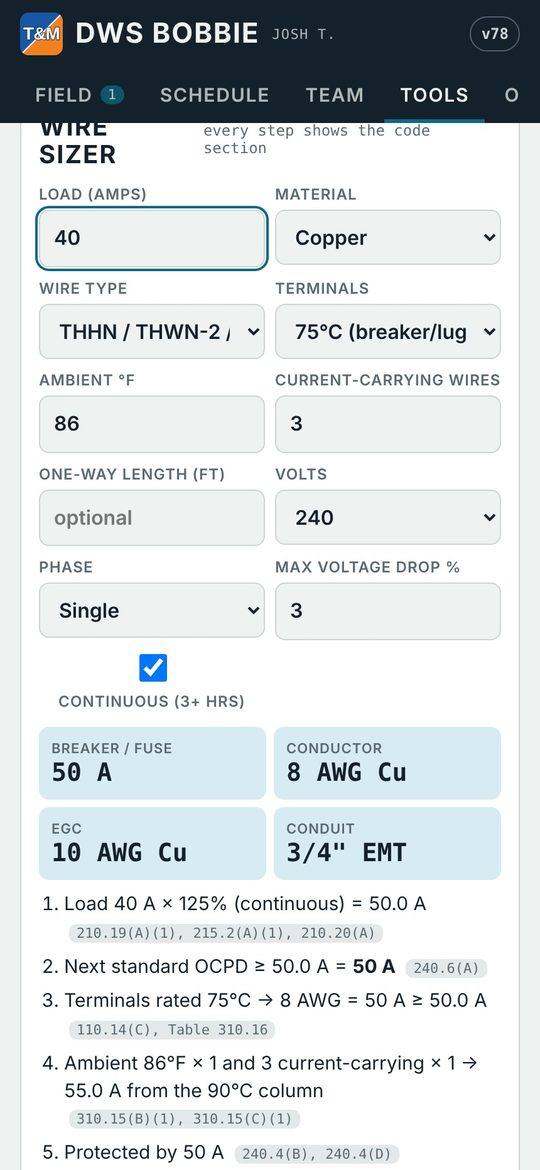
- NEC quick reference: wire sizer that shows every step with the code section, ampacity, derating, grounding, fuses and breakers, motors and conduit fill.
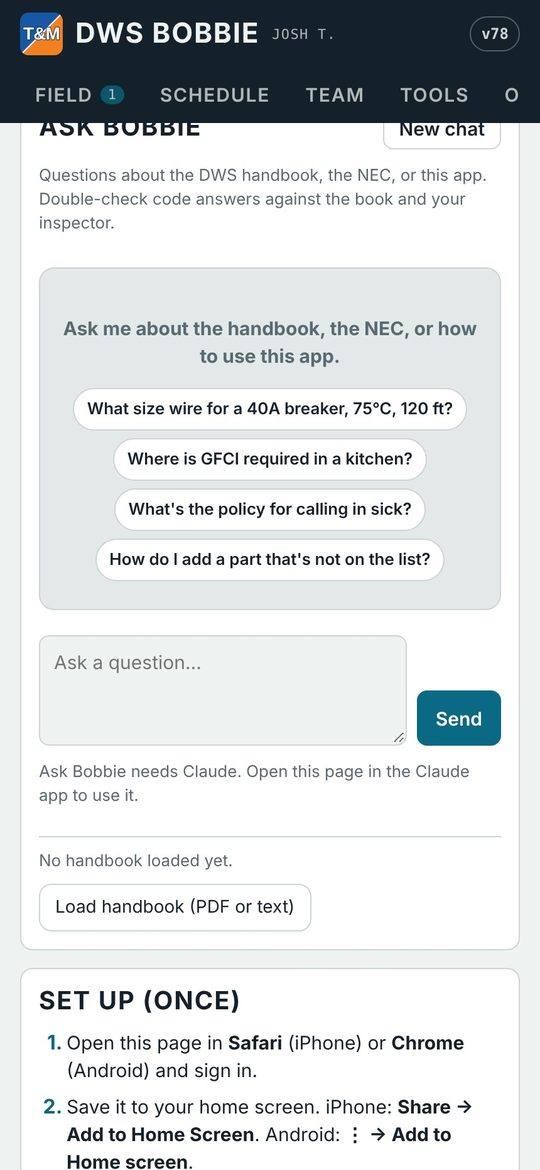
- Ask Bobbie: questions about the company handbook, the NEC or the app. Always double-check code answers with the book and your inspector.
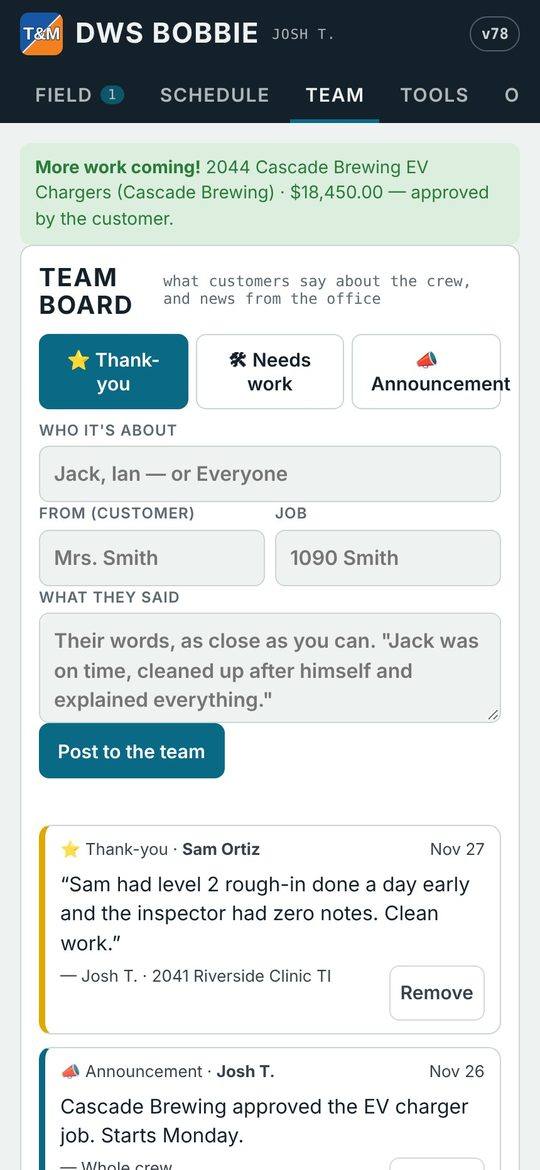
Team
Team board and what's new
- Post customer thank-yous, things to fix and crew announcements.
- Every update to the app comes with a short "what's new" note so the crew knows what changed.